Showing posts with label tweaks. Show all posts

Wednesday, September 18, 2013

Remote Access to Android Phone from Desktop using 3CX Remote Android App through USB.

Steps :- 
Root your phone. [Optional]
Install  3CX DroidDesktop3CX Remote Android Desktop [For using all features of this app, rooting your Android is necessary.]

Friday, November 12, 2010

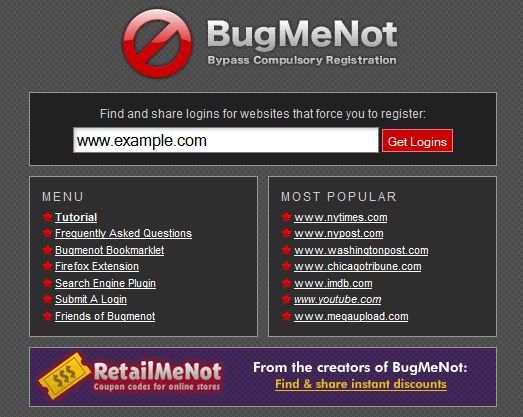
Bugmenot.com -- Bypass registration!

While surfing the net, the inevitable process of registration & the confirming the email might render you bored & jaded. Here is an easy way to avoid it. Enter the url -> http://www.bugmenot.com/ & search the site for used logins for the site you want to surf.

Saturday, June 19, 2010

Hide your files in jpeg File without any Software!

This is quite an old trick but still works fine. Its a type of stenography technique where we try to hide a file inside another file.    
You will only need to download WinRAR & install it.

Friday, April 30, 2010

Super Hiding the folder easily using cmd command!

For hiding your folder execute the command
X:\> attrib +a  +r  +s +h foldername /s /d [enter]

 For unhiding:
X:\> attrib -a  -r  -s  -h foldername /s /d [enter]
X= x is location for our folder in hard disk.

Monday, April 19, 2010

Enabling telnet in vista/7 & Sending anonymous emails!

 In Windows Vista & windows7 telnet is disabled by default because of its security issues (passes messages in plain text, easy to sniff passwords & credentials, so its obsolete now).
In order to enable go to control panel
> Programs
> Programs & Features
> click on 'Turn Windows Feature on or off' on the left panel
> new window appears, tick check boxes telnet server or telnet client or both as per your need.
> click ok
> open cmd & start telneting to another telnet enabled computers (for command
queries type telnet /? in cmd)


Monday, April 12, 2010

Creating Linux environment & installing Linux softwares in Windows!

There are plenty of solutions for achieving linux environment in Windows.
1)Installing Cygwin creates linux environment. But all programs are not supported by cygwin. Also it may create problems in newer versions of windows. It consists of two parts:
  # A DLL (cygwin1.dll) which acts as a Linux API emulation layer providing substantial Linux API functionality.
  #  A collection of tools which provide Linux look and feel.
Problems regarding cygwin
 # Cygwin is not a way to run native linux apps on Windows. You have to rebuild your application from source if you want it to run on Windows.
 # Cygwin is not a way to magically make native Windows apps aware of UNIX  functionality, like signals, ptys, etc. Again, you need to build your apps from source if you want to take advantage of Cygwin functionality
Friday, March 19, 2010

Try creating some easy animation!

For creating animations in very easy way, plenty of softwares are available, some are online & some you can download one your pc & use it. I have come across such a software called UnFreez. The resulted animated gif image just takes a collection of gif images & play them with some delay. Its very easy to use.
This is a video from Tinkernut which guides on the usage of UnFreez.


Sunday, March 14, 2010

Access (GodMode)Master Control panel in Windows7

Access (GodMode)Master Control panel in Windows7

    GodMode is the master Control panel for windows7 which gives access to all control programs. I don't know why they call it GodMode.
    Create a new folder in any directory & then rename it through cmd, issue the command.

    > ren "New Folder" GodMode.{ED7BA470-8E54-465E-825C-99712043E01C}
    OR simply
    > mkdir GodMode.{ED7BA470-8E54-465E-825C-99712043E01C}

Thursday, March 11, 2010

Broadcast a video file from your webcam

You may have wondered sometimes that how a video can be broadcasted through a webcam. Here is the solution - Download a webcam software called SuperWebcam  http://www.superwebcam.com/download.php . After installing, open the application. You will see the video option menu in the top menu items. Click it & select video file thats all. Now the video file you selected starts on the display of superwebcam display. After that open the yahoo webcam & you will see the same video playing in it too.